How I Stopped Repeated Login Attempts on My Synology NAS
In September 2026, I noticed repeated failed DSM logins on my older Synology DS213j. Log Center showed the attempts, and DSM had blocked at least one source after ten failed logins within five minutes. I had initially thought the alerts concerned my newer DS223, so identifying the correct NAS was an important first step.
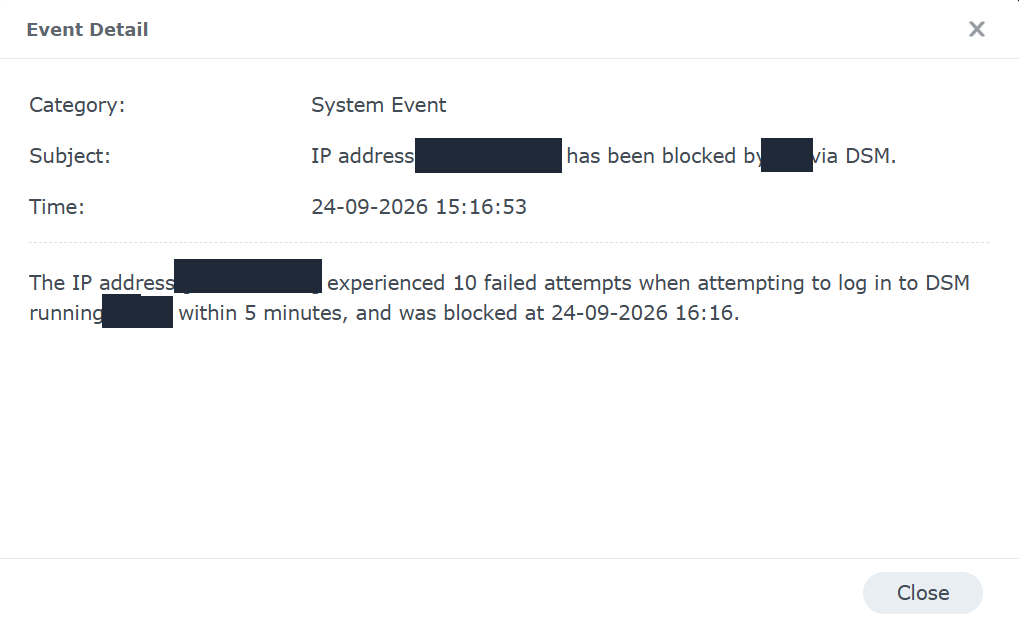
One of the DSM events. I have removed the source IP address and NAS name from the screenshot.
The blocked attempts did not show that anyone had logged in successfully. They did show that the older NAS's login page was reachable and attracting unwanted attempts. I wanted to find the path to it, rather than just watch DSM block individual addresses.
Changing the DSM ports had not solved it
I had changed the DS213j's DSM HTTP and HTTPS ports from the defaults, 5000 and 5001, to 5002 and 5003. That helped distinguish it from my DS223, which uses the default ports internally. It was not meaningful protection against Internet scans: if a router forwards a changed port to DSM, the login page is still reachable on that port.
Changing the DSM port and removing a router forwarding rule are separate actions. I needed to check the router configuration as well as DSM.
The forwarding rule I found
My network has a Claro router and Google Wi-Fi. I checked the forwarding settings rather than assuming an old rule was inactive. The Google Wi-Fi view showed TCP forwards for both 5002 and 5003 to the older NAS. The Claro router also had old Synology entries, but those were disabled; I did not treat them as the active route.
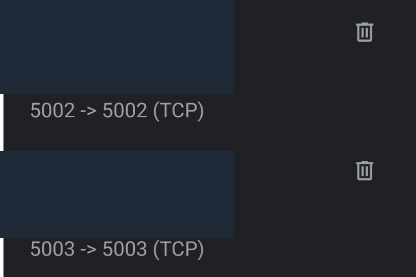
The Google Wi-Fi entries before I removed the unnecessary 5002 rule. Device and network identifiers are covered.
I deleted the 5002 forwarding rule. When I returned to Log Center, the repeated attempts had stopped. That was the outcome I observed at the time; it does not prove that nobody will try another route later.
The screenshot also shows a 5003 rule. Removing 5002 alone does not mean DSM is no longer directly exposed: an active 5003 forward may still reach its HTTPS login. That rule needs its own review and removal if the reverse proxy is the intended way in. I would verify external access through the intended address before and after making that change, and check forwarding on both routers so that an old rule does not remain overlooked.
I tightened the account settings too
I enabled two-factor authentication for my DSM account and turned on Account Protection on the DS213j. The screenshot below shows the Account Protection option before I enabled it; the empty checkbox is the reason I checked this setting during the incident.
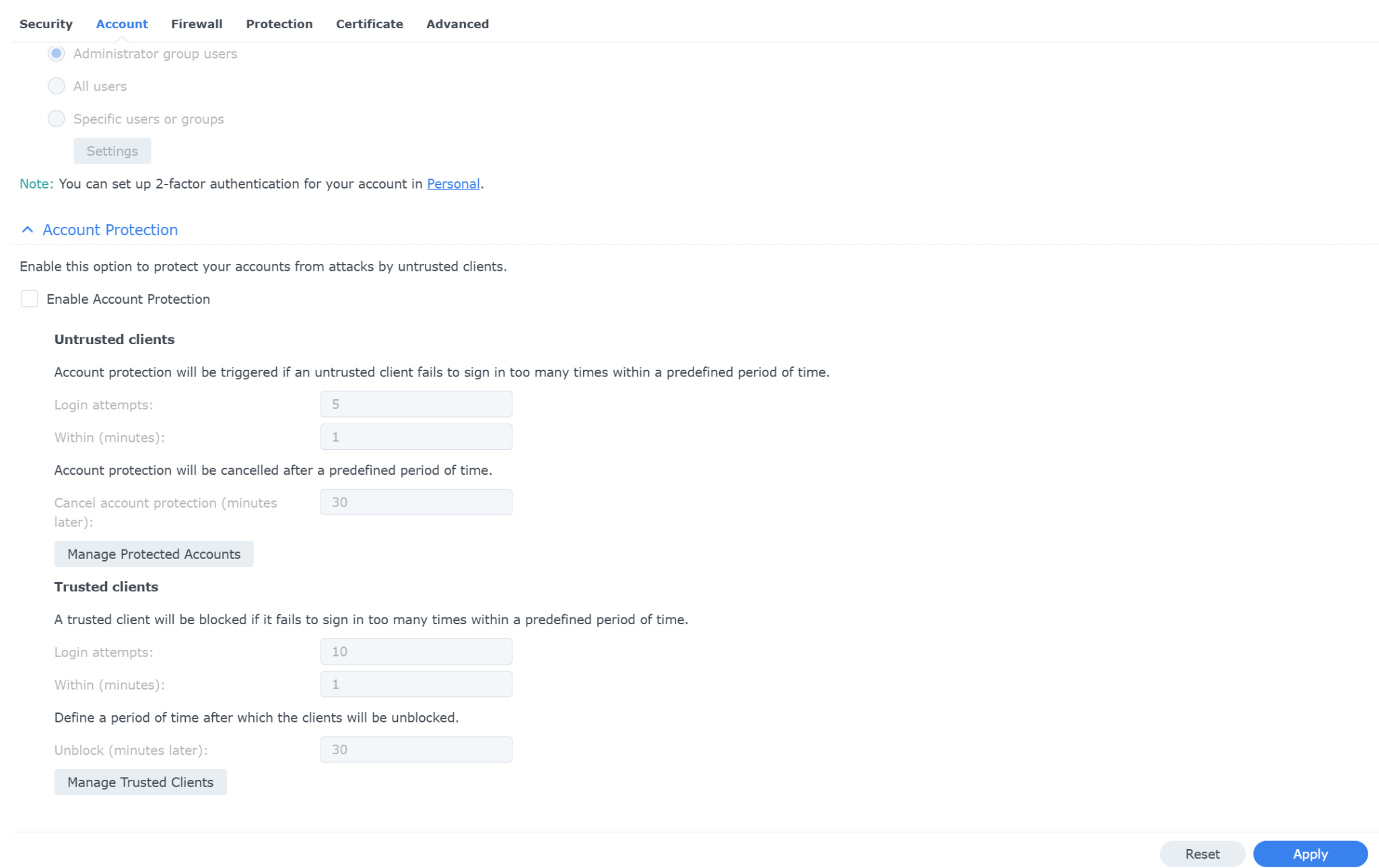
Account Protection was off when I inspected it. I subsequently enabled it.
DSM's existing automatic blocking had already acted on a source making repeated attempts. Account Protection adds another layer around accounts, while two-factor authentication helps protect a valid password from being sufficient on its own. Neither setting replaces removing an unnecessary Internet route to the login page.
I also enabled two-factor authentication on my newer DS223. The login attempts in this incident were on the DS213j, not the DS223. I explain the different jobs of the two NAS devices in my DS223 homelab review.
Keeping remote access without that HTTP forward
I do need to reach my homelab when I am away from home. My existing setup uses Caddy as a reverse proxy for named web services, and I use Guacamole for browser-based access to my servers without exposing SSH directly. I describe that broader arrangement in How I Access My Homelab Remotely.
The lesson for my NAS is to keep only the external routes I deliberately use and understand. Deleting the 5002 forward removed one unnecessary direct DSM route; it did not automatically validate every other forwarding rule or make the reverse-proxied DSM login private. A reverse proxy still presents a login service to the Internet if I publish it there, so strong authentication, updates and continued log checks still matter.
What I would check after an alert like this
- Confirm which device produced the alert and whether it shows failed attempts or a successful login.
- Inspect DSM's Log Center, blocked-address list and account settings.
- Compare the DSM listening ports with the forwarding rules on every router in the path.
- Remove forwards that are not required, then test the intended remote-access path from outside the home network.
- Enable two-factor authentication and Account Protection for accounts that need DSM access, and keep checking the logs afterwards.
In my case, the attempts visible in Log Center stopped after I removed the 5002 forwarding rule. The more useful discovery was why a changed DSM port had not protected the DS213j: the router was still sending Internet traffic to it.