Synology DS223 for a Homelab: What I Use It For—and What I Don’t
The Synology DS223 is the main NAS in my homelab. I use it for central storage, Docker backups, media libraries and synchronising files from other devices.
What I do not use it for is equally important: I don't run my main Docker workloads on it. The DS223 works well as a two-bay storage appliance, but its processor and fixed amount of memory make separate Ubuntu servers a better home for my containers.
This is not a benchmark-based review. It is an account of how I use the DS223 in my own homelab and where I think its practical limits are.
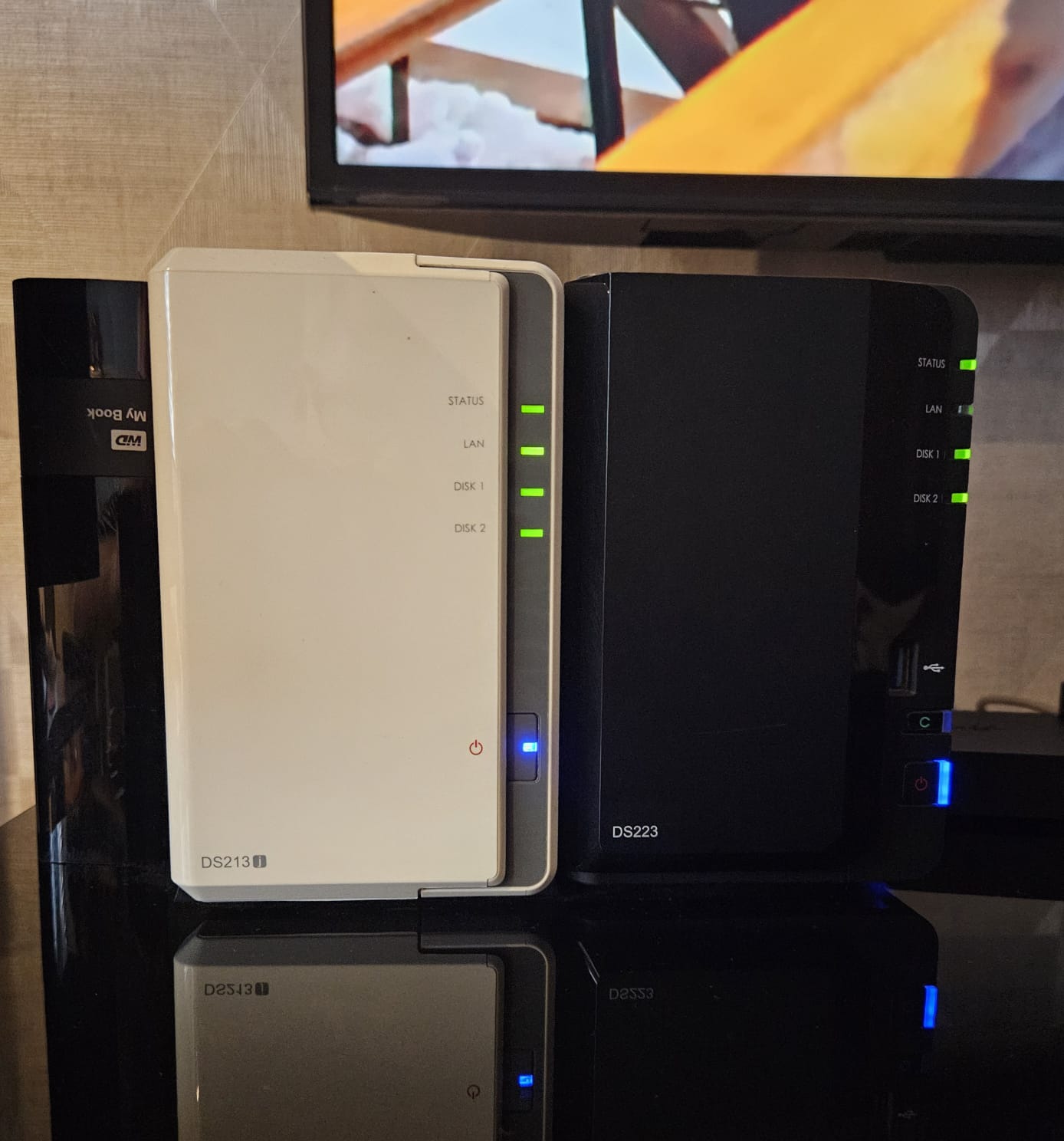
My older DS213J and DS223 sitting side by side.
My DS223 Setup
My DS223 is named sjb2 on my network. It contains two 4TB WD Red Plus hard drives configured using Synology Hybrid RAID (SHR).
Synology Storage Manager shows each nominal 4TB drive as approximately 3.6TB. Because SHR uses the second drive for redundancy, this does not give me 7.2TB of usable storage. The available capacity is approximately that of one drive, with the other protecting the storage pool against the failure of either disk.
This is a sensible arrangement for the data I keep on the NAS. I lose half of the raw capacity, but a single drive failure should not immediately take the storage pool and everything on it with it.
SHR is not a substitute for backups, but it does provide useful protection against one of the most common NAS failures.
NFS Storage for My Docker Servers
Most of my Docker containers run across three Ubuntu servers rather than on the Synology itself. Their configuration and application data generally stay on local storage under /opt/docker on the server running each container.
Large files are handled differently.
The DS223 provides central storage to the Ubuntu servers over NFS. The shares are mounted on the Docker hosts under /mnt/sjb2, after which Docker Compose can pass the required directories into containers as ordinary bind mounts.
This keeps the responsibilities separate:
- Ubuntu manages the NFS connection.
- Docker manages the containers.
- The DS223 provides the shared storage.
I find this easier to understand and troubleshoot than configuring separate NFS volumes inside individual Docker Compose files.
I have documented the complete arrangement in How I Mount Synology NFS Shares on Ubuntu for Docker, including the Synology NFS permissions, Ubuntu mount points, /etc/fstab configuration and Docker bind mounts.
Synology also has its own guide to accessing files over NFS, although my guide describes how NFS fits into my particular Docker setup.
Backups and Media Storage
Two of the DS223's main jobs are storing Docker backups and holding larger media files.
My Docker servers create backups of their container data, and those backups are copied to the NAS. This gives me central backup storage without filling the local disks in each server.
The DS223 also stores media used by Jellyfin, including films, television programmes and music. My Immich photo library is stored there as well. These are exactly the kinds of larger files that make sense on a NAS rather than alongside container configuration files on a Docker host.
The NAS therefore supports my Docker environment without needing to run the containers itself.
I also use Synology Drive to synchronise photos and documents from my laptop and mobile phone. I am gradually moving that job to my self-hosted Syncthing setup, but Synology Drive has been useful.
Synology Cloud Sync is configured to synchronise folders with Dropbox and Google Drive too. I hardly use either cloud service now, so this has become a relatively minor part of what the DS223 does.
What It Handles Reliably
For storage duties, the DS223 has been reliable.
It handles:
- NFS shares for my Ubuntu Docker servers
- Docker backup storage
- Jellyfin films, television programmes and music
- Immich photo storage
- Laptop and mobile file synchronisation through Synology Drive
- Cloud synchronisation with Dropbox and Google Drive
- General shared folders on my local network
None of these jobs requires the NAS to be a powerful application server. It mainly needs to keep the disks available, serve files consistently and provide a manageable interface for shared folders, permissions and storage health.
DSM makes those routine storage tasks relatively straightforward. I can manage the disks and storage pool, create shared folders, configure NFS permissions and check the condition of the NAS without administering another general-purpose Linux server.
Why I Run Docker Elsewhere
The DS223 has a Realtek processor and 2GB of non-upgradeable memory. That is adequate for its main purpose, but it is not what I want supporting a growing collection of Docker services.
As I added more containers, performance became slower and the available resources became a constraint. I now run Docker on separate Ubuntu computers, where I have more processing power, more memory and considerably more flexibility.
This arrangement also lets each device do the job it handles best:
- The DS223 provides reliable central storage.
- My Ubuntu servers run containers and application services.
- NFS connects the two.
Separating storage from compute also means I can restart, replace or work on a Docker server without moving the main media library or backup storage with it.
Someone wanting one small device to run a limited number of lightweight services may prefer a more powerful Synology model that officially supports the applications they need. For my homelab, separate Docker servers are the better option.
Limitations and Who Should Avoid It
The most obvious limitation is that the DS223 only has two drive bays. SHR protection with two drives gives approximately one drive's worth of usable capacity. Expanding beyond that means replacing both disks with larger ones or moving to another NAS.
The 2GB of memory is also fixed. There is no normal memory upgrade path if applications begin using more RAM than expected.
I would avoid the DS223 if:
- You want your NAS to be your main Docker or virtualisation server.
- You expect to run many applications directly on the NAS.
- You need more than two drive bays.
- You want an easy way to expand the memory.
- You expect heavy simultaneous workloads rather than straightforward file storage.
It is better suited to someone who wants a compact NAS for shared storage, backups and media files and is happy to run demanding applications elsewhere.
What Happened to My Older DS213j?
The DS223 replaced my older Synology DS213j as the NAS I trust with important media and services.
The DS213j still works, so I continue to keep it running. However, its age and performance mean I no longer rely on it for anything critical. It has effectively become secondary storage that remains in the homelab because it is not dead yet.
Moving from the DS213j to the DS223 gave me a noticeable improvement while allowing me to keep the familiar DSM interface and Synology storage features.
Is the DS223 a Good Homelab NAS?
For my use, yes—but specifically as a NAS.
The DS223 has been dependable for NFS storage, backups, media libraries and file synchronisation. It fits neatly into my homelab because I do not expect it to run everything.
Its two-bay design, fixed 2GB of memory and modest processor are genuine limitations. Anyone looking for an all-in-one Docker server and NAS should consider a more powerful model or a separate server.
If, like me, you already run Docker on other machines and need a straightforward central storage device, the DS223 can be a practical fit.
Check the Synology DS223 on Amazon UK — Affiliate disclosure: If you buy through this link, I may earn a small commission at no additional cost to you. I only link to equipment that I genuinely use or consider relevant to the article.